Friday, February 19, 2016

Quick Look at Marshmallow for Note 5


We are a couple of days from the announcement of the much discussed Samsung Galaxy S7, S7 Edge, and the LG G5. So until I get to play with the new devices, I am in a bit of a lull. Admittedly I haven't been updating as frequently as I would have liked, so I thought I will do a quick look at the Marshmallow update that just started rolling out to the Note 5 (N920C). Which should give us a glimpse of some of the things that can be expected from the S7 and S7 Edge since they will be running Android Marshmallow too.


By quick look, I really do mean quick look. I only flashed the update on my Note 5 at around 2am earlier today, and I've only had like a few hours with it so far. Some of the features will be familiar to those already using a phone with Marshmallow, some will be unique to Samsung devices. So let's get started.

It's Smooooth...


After flashing the update, even prior to doing a factory reset, I immediately noticed the smoother performance on the device. Apps seems to load faster, animations seems shorter and smoother, and in general more fluid than it was. Even the speed of unlocking using the fingerprint sensor seems a bit quicker too. Not sure how long this "smoothness" will last, but I'm loving it so far.

It looks just a little bit different...


Overall this is the same TouchWiz that we know and try to tolerate. Some changes to the colour scheme here and there, flatter icons, as well as more Material Design-y animations. Overall minor touches to what we already know from the Note 5. No surprises here really, and it looks to be the same UI from the leaked images of the S7.

In fact, it seems that Marshmallow on S6 series of devices will look the same too, and to me that's a great step forward for Samsung in terms of keeping their flagship devices updated.

When I first saw the leaks for the Marshmallow update on the S6, the thing that stuck out like a sore thumb was the boxed-up icons. Thankfully it's an option that you can change in settings.


There are also more customisability, and control throughout the system. A few notable ones are the ability to change the shortcut on the lockscreen to something else entirely, and the ability to turn off fast charging capability. Also another welcomed addition is the ability to turn off Pop-up window, something I don't use at all other than when I accidentally trigger it.

And oh... 2 finger swipe down to access all the toggles is back, and you'll notice a toggle for VoLTE too which is nice.

Even more control...


In settings, you now have even more ways to control how your phone works. Like the ability to turn off background data, or notifications for apps very easily in a list. It's a lot simpler to do compared to previously, and the ability to turn off background data for some apps will probably save you some battery too.

You now have the ability to control app permissions as well in a unified location as well thanks to Marshmallow. Again, this is a huge feature that I always mention whenever I am talking about Marshmallow. All those additional controls for background data, apps permission, will go a long way in ensuring that TouchWiz doesn't become LagWiz that quickly. (Of course a lot of it will still be down to how much junk apps you install on your device. No one can save you from yourself.)

Shhhhhh....


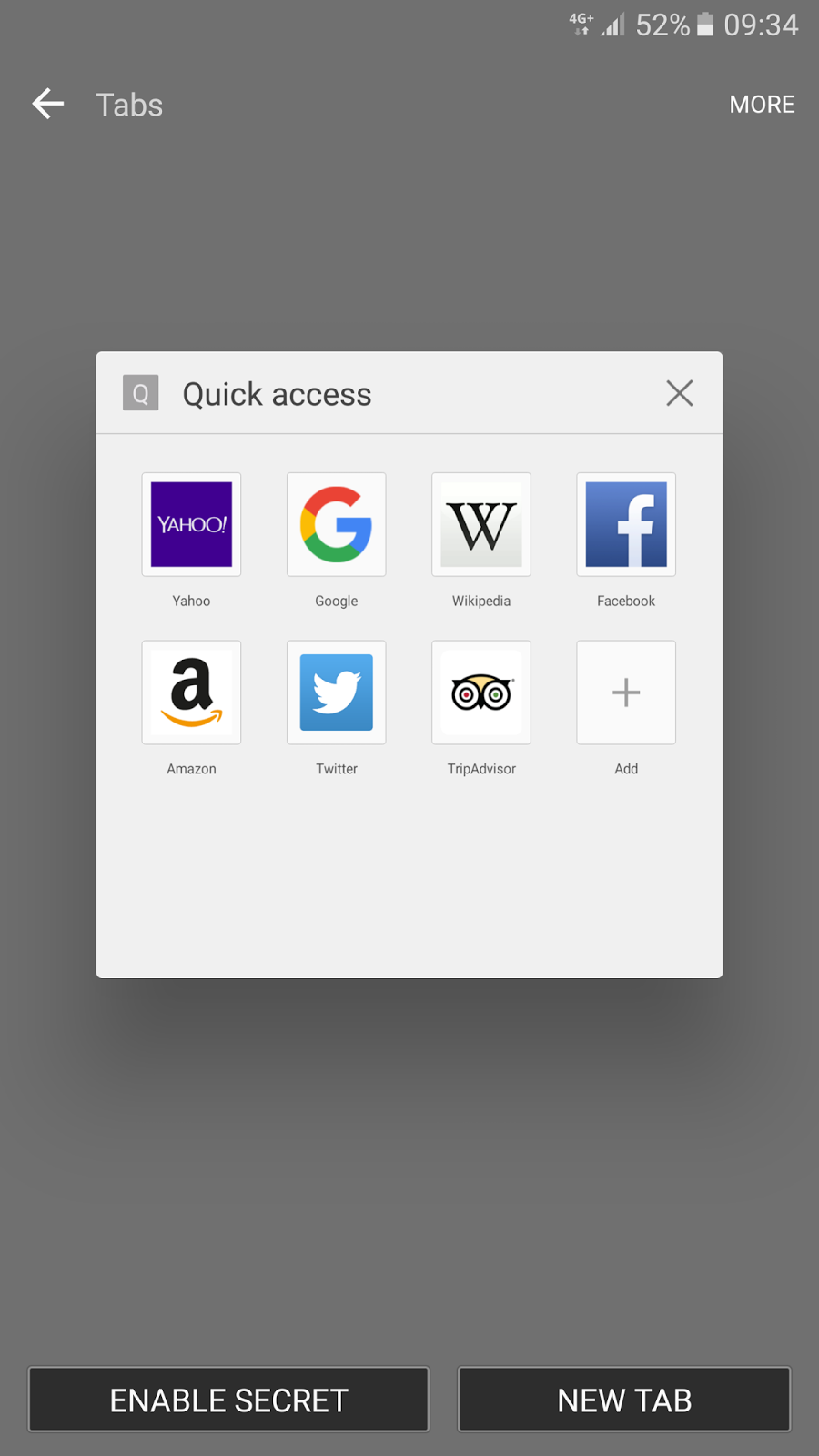
A new mode in Samsung's new and improved Internet browser allows you to hide your web browsing data from prying eyes. Unlike Chrome's Incognito mode which just doesn't store any cookies, history, etc, Samsung's Secret mode will allow you to store your "favourite" webpages, history, sign-ins, etc. To access Secret Mode, you would need a password, or simply your fingerprint. This is a feature that will probably come in handy for many. I also realised that in Secret Mode, screenshots are disabled, removing the possibility of accidentally taking a screenshot.

Making life easier, one feature at a time...


Previously on Note 5, if you use fingerprint unlock, you need a password of at least 6 characters, including a letter and a number. That's super inconvenient when trying to unlock the phone, and your thumbs are wet or dirty. Now, you have the option to use a PIN or Pattern instead as an alternate unlocking method. It's a nice update, but it kinda should have been there from the get go.

Smart Capture...


A simple feature that originated from the Note 5, but expanded so that you no longer have to take out the pen just to do a long screenshot. On the Note 5 it may not be groundbreaking since the Screen Write feature already does long screenshots, but it'd be great to see this super useful feature on the Galaxy S series devices.

Other Marshmallow goodness...


So far Doze seems to be working alright, you can clearly see the flatline when I was asleep, and the phone sipping battery. You have Google Now on Tap too on board with a long press of the home button if you opt in, offering contextual information when you need it.

Honourable mention...


This goes to the new Messages application. With a feature call Cross App, you can now run certain apps within the messages app. Like the camera for example, or when someone sends you a website link. You can run those within the camera app itself without needing to leave the page. Which would be pretty useful... if people still use SMS... You can read more about the feature here.

------

These are just some of the features that I could find in my short time with it that are worth mentioning. This is still very early on of course, and I'm sure there are a lot more features within the OS waiting to be uncovered. A lot more testing to be done to see whether Doze really works properly on it too. But so far I'm pretty happy with the update, and if anything I think it's a good sign for the S7 and S7 Edge that will be announced come February 21st (for those in Singapore who wants to watch the live unveiling, it's February 22nd, am).

Monday, January 18, 2016

BlackBerry Priv Review: New Beginnings


The BlackBerry Priv is probably the most interesting Android device released this year. Not only does it bring with it a slider form factor, it is also BlackBerry’s first smartphone that is “Powered by Android”. So let's talk a bit more about it.


Design


The phone looks like your run-of-the-mill full touch screen device at first glance. A glass slab at the front that is curved on both sides like the S6 Edge, and on the back is BlackBerry’s signature glass weave finish, found on the Q10 and the Z30. While I do enjoy the grippy-ness of the material, the fit and finish leaves much to be desired. Like many have reported, the unit I have has a little bit of give at the back, and the side even creaks a little when I hold it tighter.


The phone is a little chunky by modern standards, but that is easily forgiven when you consider it hides a physical keyboard under that display. The sliding mechanism feels solid, and requires just the right amount of force to push the display up too. Overall this is a nice feeling phone in hand, and the design is pretty much what you would expect from BlackBerry, understated and utilitarian. The build quality could have been a bit better though considering the price tag of the device.

Screen and Speaker


The front of the device houses a 5.4” QHD AMOLED screen which curves at both side. It's a familiar looking panel to that of the Samsung Galaxy S6 Edge which is a good thing. The display looks vibrant, and viewing angles are great.


Below the screen there is a single firing speaker which sounds decent, but probably won't blow anyone away.

Performance


The Priv is powered by a Snapdragon 808 chipset with 3GB RAM. While not the best processor you'll find in the market, we've seen good performance from this chipset on other devices like the LG G4, Moto X Pure, and the Nexus 5X. Sadly I can't say the same for the Priv. Performance is okay, but not great. Games like Need For Speed: No Limits runs smoother on the Moto X Pure despite the same processing package, and noticeably slower than its higher end counterpart, the Snapdragon 810 or Samsung’s Exynos 7420. Day to day user experience is still decent, but stutter and dropped frames in the animation shows up every now and again. For a device that costs as much as the Priv, I was expecting something more.


The device also has the tendency to warm up pretty easily as well. Perhaps even easier than other devices using Snapdragon 810 processor. Which is a bit puzzling because the Nexus 5X and Moto X Pure didn't have this issue at all.


A side note regarding the LTE network speeds, the Priv support Cat.6 LTE as well, and it's one of the faster performing I've seen in a while.

Software


The Priv is BlackBerry’s first smartphone released with Android, and that’s a big deal. While BlackBerry 10 supported installation of some Android apps, it is more of a patchwork than anything else. With the Priv, we are talking about full-fledged Android with Google Play Services on-board.


The look and feel of the OS might look remarkably similar to stock Android, but there are a number of enhancements that BlackBerry has added. You have a revamped recents apps layout (something which can be tweaked), an app drawer that houses not just apps but widgets and shortcuts too, swipe up shortcuts, swipe up on app icons to quickly jump into a widget, productivity tab, and a handful of other changes. Essentially, it’s an approach to Android similar to Motorola's, albeit a little heavier-handed.


Not all of them works great though. The swipe up widget feature was nice at first, until the widgets stopped loading. The swipe up shortcuts isn’t something I would use too since I’m so used to it being a way to launch Google Now.


There are BlackBerry-built apps as well of course out of the box, like BBM, Content Transfer, Device Search, Calendar, Tasks, Password Protect, and a few others. Some are genuinely useful, especially if you’re coming over from BlackBerry 10 and don’t already have a suite of apps that you depend on. But if you’re like me and already depend on other apps/services, then you’re not going to be bothered with most of them.

Some notable BlackBerry apps also includes the BlackBerry Hub, and Dtek. BlackBerry Hub is something I really enjoyed using on BlackBerry 10, because of the deep integration, and the easy way to access it. On Android, it feels forced. Not all notifications are supported, so you end up with some notifications at the top, some in BlackBerry Hub. It does support Whatsapp, which is nice, but the way it works isn’t fantastic too. All it does is work like Android’s notification tray, it brings you into that chat, and that’s about it. When you click the back button, you’re brought back to Whatsapp’s main page, not back in the Hub. Overall it doesn’t bring anything additional to the user experience to me, and to some extent even causes friction with Android’s default notification system.


Dtek, is BlackBerry’s way of monitoring how safe your phone is, and providing you some ways of making your phone more secure. It also tells you what applications are accessing permission on your device, and how often they are doing so. But that's all the app does. While it is a useful way to keep track of what which app is trying to access, it would be better if we were able to turn off those permissions. Sadly because the Priv is still on Android Lollipop and not Marshmallow, we can't do that just yet.

Physical Keyboard


Probably one of the reason why the device caught the attention of so many would be its physical keyboard. Hidden underneath the screen in a slider form factor, the keyboard is decent, but definitely not BlackBerry’s best showing. The keyboard doesn't have as much travel as I would have liked, and are a bit stiff (though it would probably become smoother over more use). It is an understandable compromise though considering its thickness. It's actually impressive how BlackBerry managed to pack a QHD 5.4” display, and a 3,410mAh battery as well. I would have expected the device to feel much thicker with all the hardware it is packing.


The tactility of physically depressing a button to type a word out is still as enjoyable despite the slightly flat keys. But the undeniable fact is that it is still easier and faster to type on a virtual keyboard. Virtual keyboard these days have gotten so good that it’s harder and harder to justify having a physical keyboard.

There is a reason why I chose to talk about the physical keyboard after talking about the software of the phone. The two really go hand in hand because the software enables additional functionality to the physical keyboard. Much like the BlackBerry Passport, the keyboard is actually touch sensitive. You can use it as a trackpad to scroll through webpages or any lists, or you can use it to swipe in word predictions and delete words. Another sort of useful feature would be using it as a cursor for text editing, but I say sort of because it doesn't work well with all apps. In Google Docs for example, it doesn't work at all.


My favourite feature though, is keyboard shortcuts. The ability to program the keys to do certain things, launch certain apps. I have a handful I’ve set up to launch applications, a handful to go into particular options inside settings too. These comes in handy when you’re trying to quickly launch an application not on your home screen.

It’s not all rainbows and butterflies though. While the software and hardware combination works well enough most of the time, there is friction when trying to use it. Unless you really love the physical keyboard, you are going to be spending more time using the virtual keyboard on the phone, something which is decent but not my number one choice. The BlackBerry virtual keyboard does not support swipe to input text which I use time to time when typing one handed and it doesn’t sync your preferences across different devices too unlike Google Keyboard or Swiftkey.

Being an Android device, of course you can use another keyboard, but not without some caveats. For one you lose the touch capabilities on the keyboard while typing. Then I also noticed that it doesn’t play too nice with the physical keyboard. Switching between typing on the virtual keyboard to the physical keyboard causes problem sometimes, like the virtual keyboard refusing to go away despite having slide out the keyboard. Unless you’re planning on not using that physical keyboard (which is a big reason for buying this phone) I’ll recommend sticking with the default BlackBerry keyboard.

Overall, what should have been a key selling point ended up being a mixed bag. The physical keyboard isn’t as nice to type on, and you’re sort of stuck with BlackBerry’s virtual keyboard too which isn’t my favourite. Instead of being the best of both worlds, it ended up being a compromise on both ends of the spectrum.

Battery Life


The Priv packs a 3,410mAh battery underneath, and while that sounds like plenty on paper, in actual usage it was a little underwhelming for its size. It gets me through a day of normal usage just fine, but if you're a heavier user, or have a slightly longer day, you'll find yourself needing a quick top up before the day is over. While it does support quick charging, it doesn’t come with a quick charger out of the box, something I find ridiculous considering the price of the phone.

Camera


On the back of the Priv, you’ll find a Schneider-Kreuznach endorsed 18MP camera with OIS, and an f/2.2 lens. I can start off by saying that this is the best camera on a BlackBerry yet, but frankly that wouldn't be saying much. What I would say, is that this is a camera that most people are going to be okay with using on a daily basis.


The camera app is simple and easy to use, and auto HDR mode actually works properly. Its only downfall is the slightly slower capture speed which to me seems like it's down to the processing and saving of the image rather than the shutter speed is slow.


Other than that, the image quality is actually pretty decent. Daylight shots looks vibrant, contrasts are good, and there are plenty of details in the images. It can look a little over processed at times, but not serious enough to be concern with.


In low light the camera performs admirably too. Auto mode tend to go for a slightly dimmer look and feel which can look a little dull, but nothing a quick adjustment won't fix. Details are well preserved too despite the overall slightly grainy look. It's not going to out gun the Galaxy S6 or the LG G4 in Low light conditions, but for the casual shooter the Priv is up to the task.

Overall while it might not be right at the top like the Galaxy S6, G4, or Nexus 5X/6P, but most people should fine it sufficient. The real downside would probably be the front camera which is a mere 2MP shooter that produces below average looking shots.

Full resolution images for viewing and comparison: BlackBerry Priv, Galaxy Note 5, LG G4, Nexus 6P, Nexus 5X, Moto X Pure, iPhone 6S

-----

In the end your verdict of this phone may vary depending on where you're coming from. Personally, I am a BlackBerry fan that has moved on to other platforms as my daily driver because of my needs. With the Priv running Android, it should be the perfect device for an ex-addict. But it isn't.

(BlackBerry devices I've used)

It's not just down to the flaws of the device, it's the positioning of the product in the market. The amount of money that BlackBerry wants for the device is simply too much. In the Android market, I could think of multiple devices that makes more sense than the Priv. The Nexus 6P is cheaper, but yet better in most aspects. The Note 5 is about the same price, and offers way more than the Priv. The LG G4 and Moto X Pure Edition offers similar specifications in a much cheaper package. All of which makes more sense than the Priv.

While there are plenty of praise worthy features, and traits on the Priv, they are outweighed by some pretty hefty downfalls. The idea behind the software enhancements are well-intentioned, but poorly executed. The design of the phone looks great, but doesn't feel as solid in hand. Even the physical keyboard which is the unique feature of the Priv merely offers a glimpse of what a BlackBerry keyboard could be, but doesn't quite live up to expectations.


For people who has been using BlackBerry 10, and wants to make the switch to the Priv, you're going to have to decide whether having access to millions of apps is more important than having your basic BlackBerry productivity features. Because those still works better on BlackBerry 10. You also get a better media experience as well of course with the Priv thanks to Android.

For Android users who are looking for a new Android device, the Priv is a tough sell at the price that BlackBerry is asking for it. It’s a great first attempt by BlackBerry, and it has potential. But the Priv needs more work, and more polishing. If this story sounds familiar, it's because it's the same story for a lot BlackBerry devices I've owned over the past years, and it is getting a little old.

Sunday, December 27, 2015

Best Smartphones of 2015


With 2015 coming to an end, I thought I'll sum up the year by choosing a couple of my favourite devices this year.


I will get right to it and start with the big one.

Best Phones this Year


Nexus 6P

If Android is your cup of tea, it doesn't get any better than the Nexus 6P. It presents a vanilla build of Android, in a hardware package that is as compelling as other flagship devices that costs just as much or more.

Software wise, you're getting not only a bloat-free, clean build of Android, but you're getting fast and consistent updates too throughout the life of the device. That means fast and smooth performance, as well as better security, since it gets monthly security patches too.

Hardware wise, you get a great build quality along with flagship level specifications. The camera is great, the speakers are great, and the 5.7" QHD AMOLED screen is beautiful to look at too. It packs a large 3,450 mAh battery, with a USB Type C port for faster charging. The fingerprint sensor on the back is the fastest in the market right now too. 

While you can probably find phones that beats the Nexus 6P in some categories, like speakers, screen, or camera, individually, you'll be hard-pressed to find one with as complete a software plus hardware package as the Nexus 6P. Especially at the asking price of just US$499 to begin with.


iPhone 6S

If iOS is your cup of tea, you really don't have much choice. The smaller 6S is my pick out of the 2 because it's a compact smartphone that still brings flagship level performance to the table.

Software wise, you get iOS 9, which is the best version of iOS yet. It performs well under most circumstances, and is the perfect example of software and hardware working together in perfect harmony. 

While hardware wise the phone might not seem too impressive on paper, there is more than meets the eye. Apple's A9 chipset absolutely screams on the iPhone 6S. UI performance is buttery smooth, and gaming performance is smoother than any Android flagship I have tried this year. While the iPhone 6S no longer has the best camera around, it is still one of the easiest camera to use to capture great looking shots. Battery capacity might not be much, but with optimisation it gets me through the day with ease too.

Other than that, the speaker might be at the bottom, but it is still quite decent. The screen might not be super high resolution, but it is still very accurate with great viewing experience. It has interesting hardware features like 3D Touch too, which is more of a gimmick now, but might becomes more useful as more developers take advantage of it.

Much like the Nexus 6P, this is at the top of my list because of how well-rounded it is as a smartphone, and how good the software plus hardware package is.


Galaxy Note 5

The Galaxy Note 5 is probably the most impressive device of the year to me. The phone has a really nice premium looking design which is a huge departure from their past devices. Samsung managed to put the best looking display yet on a phone. Not to mention that it is physically the smallest 5.7” screen phone I have used, which is mighty impressive.

Software wise, you get a somewhat de-bloated TouchWiz, which still isn’t my favourite, but performs well enough for day to day use. The UI and switching apps still isn’t as smooth or quick than the Nexus 6P despite a better processor and more RAM. On the flip side, TouchWiz does bring some genuinely useful features like multi-window, screen-off memo, scroll capture, pop-up video, etc.

Hardware wise, the Note 5 packs their own Exynos 7420 chipset which is a powerhouse, and better than Qualcomm’s showing this year in my opinion. It has 4GB of LPDDR4 RAMs, as well as UFS 2.0 storage too. The Note 5 has the best camera on any smartphone this year to me, taking great photos with the least amount of effort. The fingerprint sensor might not be the most reliable, but is still fast enough when it does work. The speaker while not the best, is still pretty loud and clear. Not to mention the very useful S-Pen which is rather nice to draw on as well.

The Note 5 could have been the one to top the list this year. The only reason it didn’t, is because of its software. Samsung still insist on shoving their apps and services down our throat, and the OS isn’t as well optimised. Despite better hardware (gaming performance is better on the Note 5), day to day performance is better on the Nexus 6P still.

Honourable Mention


BlackBerry Priv

The Priv gets a mention because it is BlackBerry’s first attempt at an Android phone, and it is a very nice first try. It brings something interesting to the Android market which we haven’t seen in a long while now, the slider form factor with a physical keyboard. The hardware is decent too, but the software could use a bit of work. However, the phone is way to expensive for what it is. The software could use a bit more polish too, but for BlackBerry’s first effort, it’s not bad at all.


OnePlus X

The OnePlus X might be an odd choice considering its price tag. It isn’t a very powerful phone, and isn’t even the most modern when it comes to specifications. But it does provide a lot of phone for not a lot of money. The build quality is superb, performance is decent, and the design is actually pretty nice. Best of all, no invite system needed. The only downside to me would be its software, which is a double-edged sword. While Oxygen OS does bring a lot of useful customisation to stock Android, in its current form, it is still a little bit buggy though.

My Favourite Smartphone of the Year


Moto X Style

While this may not be the most powerful device, with the best specifications or best camera, the Moto X Style wins my overall by being sufficient.

Software wise, the Moto X Style runs a near stock build of Android with its own useful enhancements. Moto Display, double twist to launch camera, double chop for flashlight, etc. Those may not sound like much, but they are super convenient once you get the hang of it. A plus side of near stock Android would be fast updates too at least for now, since the phone is still new. It is one of the handful of devices that have gotten the Marshmallow update already.

The hardware of the phone is definitely flagship level. The processing package is one we are familiar with already, the Snapdragon 808 with 3GB of RAM. The screen is a 5.7” QHD display which isn’t the best in the market, but is still very nice to look at. It might even better than some more expensive flagship devices in the market still using FHD displays. The speakers are second only to HTC’s BoomSound speakers, and it sounds noticeably better than the Nexus 6P. The battery is a pretty decent 3,000mAh too, which keeps the device powered through the day.

In short, it does almost everything well, and almost nothing wrong.

With the addition of an SD card slot and Marshmallow’s integrated SD card feature, the Moto X Style just became one of the best phones to showcase Android Marshmallow. The only thing it is lacking is a fingerprint sensor, which isn’t a huge deal to me just yet.


The cherry on top is that for some countries, you can actually customise the phone’s colour to your liking with MotoMaker, something which I did for the very first Moto X. Sadly for us in Singapore, you can’t even buy the phone here.

If you managed to get one during the limited time discount on Amazon at US$349, it is the best phone you can buy for that kind of money. It is a phone that I would easily recommend to anyone at that price.

The Moto X Style is the phone that I wished the Nexus 5X could be. Even at US$449, the Moto X Style is still a worthy buy to me over the Nexus 5X. At the recent Amazon discount at US$349, it’s a no-brainer.

While I love to see innovative features, boundaries-pushing specifications, new software features, or new form factors, what I need as my daily driver is a little different. I just want something that works well, and I don’t need the highest end of specifications for that. The Moto X Style does just that. The combination of software, hardware, design, and price, makes the Moto X Style my favourite phone of 2015.

Thursday, December 17, 2015

Nexus 5X vs Moto X Style vs Nexus 6P


I started out wanting to do a comparison between the Nexus 5X against the Moto X Style. But while the Moto X Style’s price tag might seem a tad closer to the Nexus 5X rather than the Nexus 6P, the Moto X Style’s built quality and size is actually better compared to the Nexus 6P’s more premium feel. So in the end, I decided on a three-way instead.

Build Quality: Nexus 6P


In terms of built, I would say that the Nexus 6P takes the cake, followed by the Moto X Style. That nicely machined, full metal body just screams premium. The Moto X Style takes a middle ground by having metal sides and a softer rubberised material on the back. BUT, do remember that there are options to go for leather or wood backs which will help make the Moto X Style feels a little bit more premium. With a simple and nondescript polycarbonate shell, the Nexus 5X unfortunately doesn’t feel as expensive as the other two. While it is still solidly built, it is just not as nicely built as the other two.


Screen: Nexus 6P


The 5.7” QHD AMOLED panel on the Nexus 6P is one of the best looking panels in the market, second only to a handful of smartphones. Being a Samsung panel, the quality is definitely up there. However, that is if you prefer AMOLED panels though. If LCD is more up your alley, you might prefer the Moto X Style’s 5.7” QHD LCD panel. The colours are decent, blacks are still relatively deep, and viewing angles are decent. The same can be said for the Nexus 5X’s screen too actually, which is decent, but just not as high in resolution at FHD only.

Speakers: Moto X Style


While both the Moto X Style and the Nexus 6P has dual front firing stereo speakers, the Moto X Style wins convincingly by having better sounding speakers. To me they sounded fuller, and clearer. Which is a pretty impressive feat by Motorola, squeezing in better speakers in a smaller sized device compared to Huawei’s Nexus 6P. I don’t even want to talk about the Nexus 5X’s single front firing speaker here, which sounds unremarkable in every way.

Performance: Nexus 6P


With the most powerful processor of the lot, it’s pretty much cakewalk for the Nexus 6P’s Snapdragon 810, so I won’t go too much into it. Things become a bit more interesting with the Nexus 5X versus the Moto X Style though. While both uses the Snapdragon 808 processing package, the Nexus 5X only has 2GB of RAM compared to the Moto X Style’s 3GB. In day to day usage, the Nexus 5X feels a tad smoother with transitions, but when it comes to loading apps, and playing games, the Moto X Style feels smoother actually. I’ll still give 2nd place to the Moto X Style though, for having a bit more breathing room when it comes to RAM.


Software Experience: Moto X Style


This might not sit too well with Nexus fans, but for now, the Moto X Style wins it for me. Sometimes stock Android is a tad too bare bones. While it does get the fastest updates, the Moto X Style provides a better experience with its enhancement to stock Android out of the box. Moto Display still works WAY better than Ambient Display. Double twist to launch camera is a bit more convenient than needing to double press a specific button too. Double chop to launch flashlight actually comes in handier than one might think.

There is an exception though. A year or 2 down the road, the Nexus will almost certainly be ahead. Being a Nexus device, it will most certainly get fast updates next year, even with a newer Nexus. The same can’t be said for the Moto X Style though. Next year when there is a newer Moto X, the Moto X Style will almost certainly get updates a bit slower. Also it lacks hardware feature like a fingerprint sensor, which might not be as important now, but will become increasingly so as more app developers leverages on Marshmallow’s new fingerprint sensor APIs.

In the end, I am writing this in 2015 though, so I gave it to the Moto X Style for being better right now at this point in time.

Battery: Moto X Style


Keeping in mind the battery capacity for the Nexus 5X is 2,700 mAh, the Moto X Style at 3,000 mAh, and the Nexus 6P at 3,450 mAh, it is easy to automatically assume the Nexus 6P is the winner. But to me it’s not. To me all 3 phones lasted a day of moderate use pretty easily, but none of them would last me more than a day. While the Nexus 6P was able to last longer overall, in terms of average screen on time, the Moto X Style gave more consistent results actually. So overall, it's sort of a tie here to me.

(Nexus 5X)

(Moto X Style)

(Nexus 6P)

The tie breaker is that charging is a lot more convenient on the Moto X Style at this point in time too. Using a micro USB port, finding a charger at work or outside is super easy. But if you have either Nexus devices, you’re going to have to bring your own cable with you everywhere you go just in case. However, the table will turn 1 to 2 years later when the Type C standard becomes more prevalent. But then again, by that point in time you probably would have upgraded to another smartphone already. At this point in time, my ancient iMac still only has USB A ports, and the cables lying around my house are all USB A to micro USB.

Camera: Nexus 6P


This part is going pretty easy, the Nexus 6P has a really good camera in both good and dim lighting conditions. The 12MP shooter can be a bit slow to process HDR+ shots, but it’s worth the wait. Images in daylight is a little too saturated for my liking though. The camera is then followed by the Nexus 5X, which uses the same module, just a little slower at processing. The Moto X Style while in the last place, is actually still plenty good. In daylight, images shows nice details, albeit with a hint of over processing. Capture speeds were fast too, and auto HDR mode works really well. In low light, capture speeds were still fast, but shots doesn’t have as much brightness or details to them unlike on the Nexus 6P and 5X. It is still a perfectly capable shooter though, one I would rate just a bit behind the Nexus duo.

Worth: Moto X Style


Looking at the 32GB variant across the board, Nexus 5X at US$429, Moto X Style at US$449, and the Nexus 6P at US$499. While the Nexus 5X might seem cheaper, considering the comparisons above, the Moto X Style seems like the better buy to me. Keeping in mind that you can actually buy the 16GB Moto X Style too since you have the ability to add in a micro SD card, and integrate it into the internal memory (thanks to Marshmallow). For just a little bit more money, you are talking about a lot of plus points over the Nexus 5X. The only few things the Nexus 5X has over the Moto X Style would be faster software updates, fingerprint sensor, and a slightly better camera.


Comparing with the 6P which is only US$50 more, it is a little harder to choose between the 2. Build quality to me is pretty close, with the difference being down to preference. You are paying pretty much for the better screen, fingerprint sensor, faster updates, better camera, and better performance package. Which seems like the Nexus 6P should win this round, but let me explain why it didn’t. The Moto X Style has been around a little bit longer, which means that the actual value these days might be lower. For example, on the 17th December, Amazon sold the 32GB Moto X Pure Edition for only US$349, which is way cheaper than the Nexus 6P. Locally in Singapore the cheapest Nexus 6P you can get is the 64GB version at around US$549, which is US$200 more.

-----

Conclusion


The Nexus 5X is simply not worth buying if you ask me. It may be better than the Moto X Style by having a fingerprint sensor, a slightly better camera, as well as faster updates. But, the Nexus 6P is all of those things too and then some. Not to mention that with the recent discount for the Moto X Style at US$349, the Moto X Style is cheaper than the Nexus 5X but better in many more ways (see above). There is very little reason to go for the 5X.


When it comes to the Nexus 6P versus the Moto X Style, it’s a harder choice to make. At its original price, US$449 versus US$499 isn’t much difference. With faster updates, a fingerprint sensor, a better camera, a subjectively better build quality, better performance, and a better screen, the Nexus 6P is more worth it to me. It is one of the best Android phones this year for a reason.


But if you consider the discount that the Moto X Style had earlier at US$349, it makes the Moto X Style a lot more compelling for people who doesn’t really need all the bells and whistles that the Nexus 6P offers. At that price, the Moto X Style would be my choice.